Most guides about professional animation production make the same mistake: they focus on tool names instead of what those tools are meant to do. A list of product names tells you very little about whether a studio can actually produce work that meets your brief.
This guide covers how professional animation studios structure their production toolkit — by output type, pipeline stage, and the decisions that should drive how a studio approaches any given project.
Why Output Type Defines the Toolkit
The most important thing to understand about professional animation production in 2026 is that no single production approach suits every output type.
A studio producing broadcast 2D series animation uses a fundamentally different pipeline than one producing 3D architectural walkthroughs. A studio specialising in game character animation works differently from one producing medical procedure visualisations.
Before evaluating any studio's capabilities, the first question should be: does their production toolkit match the output type you need?
The table below gives an overview. Each category is covered in detail below.
Output Type | Pipeline Priority | Key Delivery Concern |
|---|---|---|
3D character animation (film/VFX) | Rig complexity, mocap integration | File compatibility with partners |
3D character animation (real-time/games) | Polygon efficiency, runtime performance | In-engine playback quality |
2D character animation (broadcast) | Asset reuse, episode volume | Broadcast-specification formats |
Motion graphics and compositing | Compositing speed, expression systems | Platform output formats |
Architectural visualisation and walkthroughs | Photorealism, BIM/CAD integration | Buyer-ready delivery formats |
Medical and scientific animation | Anatomical accuracy, science review | Clinical or regulatory context |
3D Character Animation — Film, TV and VFX
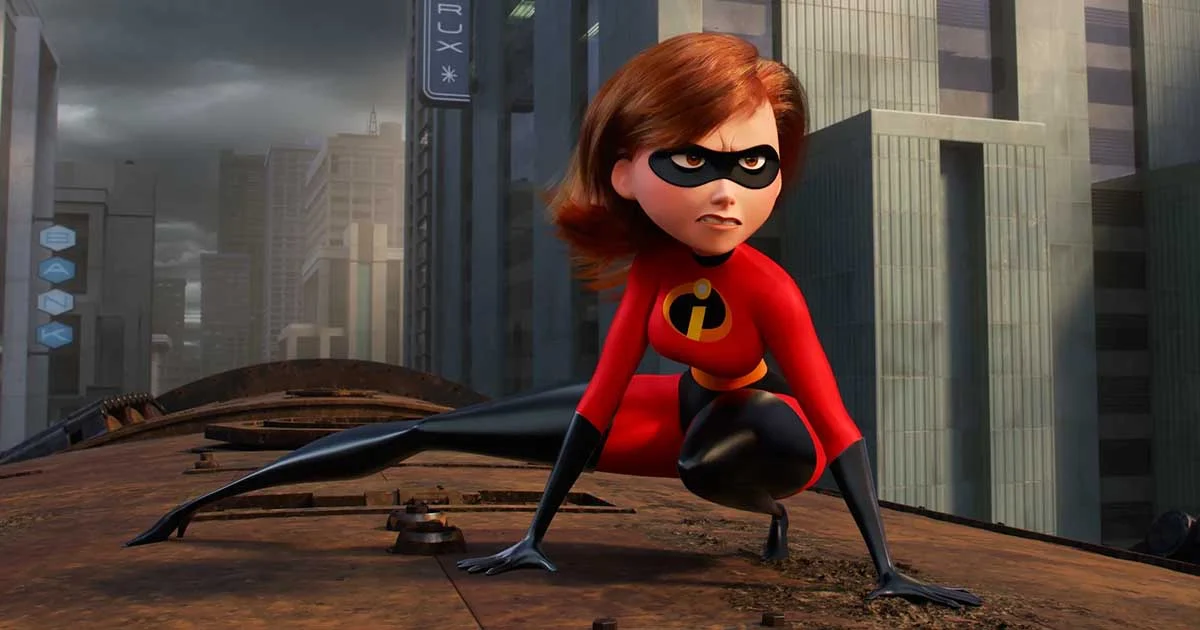
High-end 3D character animation for film, broadcast and VFX production demands a pipeline built around complex character rigging, motion capture integration, and frame-by-frame performance refinement.
The production pipeline typically covers:
Character rigging with FK/IK blending and predictable deformation
Motion capture data cleanup and retargeting
Hand-keyed animation refinement and curve editing
Pipeline integration compatible with larger production and post-production partners
Studios producing at this level must be able to exchange production files with other studios, effects houses, and post-production teams. Pipeline compatibility — not visual quality alone — is often the deciding factor in whether a studio can handle a specific project type.
What to ask a studio: Can you receive and output production files compatible with major VFX partners? What is your mocap cleanup process? How do you handle complex rigs with cloth, hair, and secondary motion?
3D Character Animation — Real-Time and Interactive
Character animation for games, interactive applications and real-time experiences requires a different approach: optimised rigs, efficient polygon counts, and output formats that work inside real-time rendering environments.
The pipeline includes:
Low-to-mid polygon character modelling for performance optimisation
Real-time rig systems designed for interactive playback
Integration with game engines and interactive deployment platforms
Testing within the target runtime environment at frame rate
What to ask a studio: What polygon budgets do you work within? Can you deliver rigs in formats compatible with our target platform? Have you produced animation for [specific platform/engine] before?
2D Character Animation — Broadcast and Episodic
Professional 2D character animation for broadcast and streaming series is a production discipline in its own right. It operates on tight schedules with reusable character systems, scene-to-scene asset management, and compositing pipelines built for volume.
Key pipeline requirements include:
Cut-out rigging systems with reusable character assets across episodes
Scene management for multi-episode productions
Node-based compositing for consistent, efficient finishing
Broadcast-specification format delivery
The key differentiator for 2D broadcast studios is not style — it is whether their pipeline can sustain episode volume without quality degradation. Reusable rigs, asset libraries, and compositing efficiency are what make episodic production viable.
What to ask a studio: How do you manage asset reuse across a series? What is your turnaround per episode at full production cadence? Can you show a multi-episode portfolio with consistent character performance?
Motion Graphics and Compositing
Motion graphics — logo animation, title sequences, data visualisation, UI demonstrations, and explainer video — uses a compositing-first approach. The pipeline is less about 3D character rigs and more about layered visual systems, expression-driven animation, and tight integration with brand assets.
This category is where a large proportion of commercial and corporate animation budgets are spent. Output types include:
Brand and product animations for social media and digital advertising
Explainer video for SaaS products, fintech, and healthcare
Title and end card sequences for broadcast and streaming
UI walkthrough and app demonstration animation
Data visualisation for presentations and annual reports
Most professional animation studios — including those whose primary work is in 3D — maintain a compositing and motion graphics capability for finishing, even when the primary production is 3D.
What to ask a studio: Can you accept existing brand assets and style guides? What is your delivery format capability — MP4, ProRes, WebM, looping GIF? Do you produce subtitled or captioned variants for social?
Architectural Visualisation and Walkthrough Animation
Architectural and real estate animation is a specialist category that sits apart from character-focused animation pipelines. The production priorities are fundamentally different: photorealistic environments, accurate material rendering, BIM and CAD data integration, and delivery formats suited to sales, planning approval, and investor presentations.
At Chasing Illusions Studio, this is our core production discipline. Our architectural walkthrough pipeline is built specifically for:
Converting BIM, CAD and floor plan data into photorealistic 3D environments
Real-time rendering for interactive exploration and presentation
Pre-sales visualisation for off-plan residential and commercial property
Investor and planning authority presentations
Virtual property tours for international buyers
Our production record includes projects for DLF, Emaar, Shapoorji Pallonji, Ganga Realty, EC World, and 100+ architectural firms across India, the UAE, the USA, Thailand and the UK.
For a full breakdown of our architectural walkthrough production process and pricing, see our architectural walkthrough services page.
The architectural animation pipeline is covered in detail in our ultimate guide to architectural walkthroughs and 3D rendering.
Medical and Scientific Animation
Medical animation — surgical procedures, mechanism of action sequences, anatomical visualisation, and clinical skills training — is a category where the production tool matters far less than the science review process.
A high-quality medical animation output can be produced through multiple production pipelines. What distinguishes a professional medical animation studio is not its rendering approach but its process for ensuring biological and clinical accuracy:
Access to clinical or scientific reviewers at the storyboard stage
A structured accuracy review before final render
Familiarity with regulatory and compliance requirements in the target market
Experience presenting complex biological processes at a level appropriate for the audience (patient-facing vs. HCP-facing vs. regulatory)
What to ask a studio: Who reviews your scripts and storyboards for accuracy? Have you produced content for clinical audiences, HCPs or regulators before? Can you show us a completed mechanism-of-action or surgical procedure animation?
AI-Assisted Animation in 2026 — What It Actually Changes
AI tools have entered every major stage of the animation production pipeline. The practical impact varies significantly by production type.
Where AI adds genuine value:
Concept exploration and reference generation in pre-production
Inbetween frame generation for action-heavy character work, reducing manual inbetweening time by 30–40% on suitable sequences
Scene preparation and environment generation for background elements
Image enhancement and upscaling during post-production
Voiceover and subtitle generation for multi-language delivery
Where AI does not replace professional production:
Complex character performance with emotional nuance
Architectural accuracy and material photorealism at a client-presentable standard
Medical animation where anatomical accuracy must be verified
Final compositing and quality review
The studios that will have a competitive advantage are not those that "use AI" as a general claim. They are the studios that know precisely where AI can accelerate specific stages without compromising design intent, accuracy or brand consistency.
What We Produce at Chasing Illusions Studio
Our production capability covers:
Architectural walkthroughs and real estate visualisation — our primary specialisation. Photorealistic 3D walkthroughs, real-time interactive environments, and virtual property tours for developers, architects, and real estate marketers. See our architectural walkthrough services →
3D character and commercial animation — brand animation, product visualisation, corporate explainer content, and motion graphics for commercial briefs.
2D character animation and explainer video — episodic and broadcast-quality 2D production, and shorter-form motion graphics for commercial and digital marketing clients.
Industrial walkthrough animation — virtual tours of manufacturing facilities, plant layouts, and industrial infrastructure for training, investor, and marketing purposes.
Medical and scientific animation — anatomical and mechanism-of-action animation produced with clinical review.
Our clients include DLF, Emaar, Ganga Realty, Banner Boswell, Shapoorji Pallonji, EC World, Taj, Florida Hospital, Tata Technologies, TCS, Airtel, and 100+ architectural and real estate companies across India, the USA, Thailand and the UK.
How to Evaluate an Animation Studio's Production Toolkit
Whether you are briefing an animation studio for the first time or replacing an existing supplier, these are the questions worth asking:
1. Does their portfolio match your output type? A studio that primarily produces motion graphics is not the same as one that produces complex 3D character animation. Ask to see work in the specific category you are commissioning — not adjacent work.
2. Can they handle your file format requirements? For architectural animation: can they work from your BIM, CAD, or floor plan data? For character animation: can they output in formats compatible with your post-production or interactive platform?
3. What is their review and revision process? How many revision rounds are included? At which stages? Understanding this prevents budget overruns and protects the quality of the final output.
4. What is their realistic turnaround? Ask for a timeline based on the actual complexity of your brief — not a headline turnaround figure from their website. A 2-minute architectural walkthrough and a 2-minute medical mechanism-of-action animation have very different production timelines.
5. Who actually works on your project? At studios that subcontract heavily, the portfolio you are shown may not represent the team that will actually produce your work. Ask directly.
Frequently Asked Questions
What is a character animation production toolkit?
It is the full set of production disciplines, pipeline stages, and output capabilities a professional animation studio uses to produce character-driven animation — from rigging and motion capture through to final compositing and delivery. The specific tools used are secondary to whether the studio has the right pipeline for your output type.
Is 2D or 3D character animation better for commercial projects?
It depends on the brief. 3D character animation offers photorealism and spatial depth, making it suitable for product visualisation, medical animation, and high-end commercial work. 2D character animation is often more cost-effective for explainer video, episodic content, and broadcast animation. Many commercial projects use both — 3D environments with 2D motion graphic overlays, for example.
How much does professional character animation cost in India?
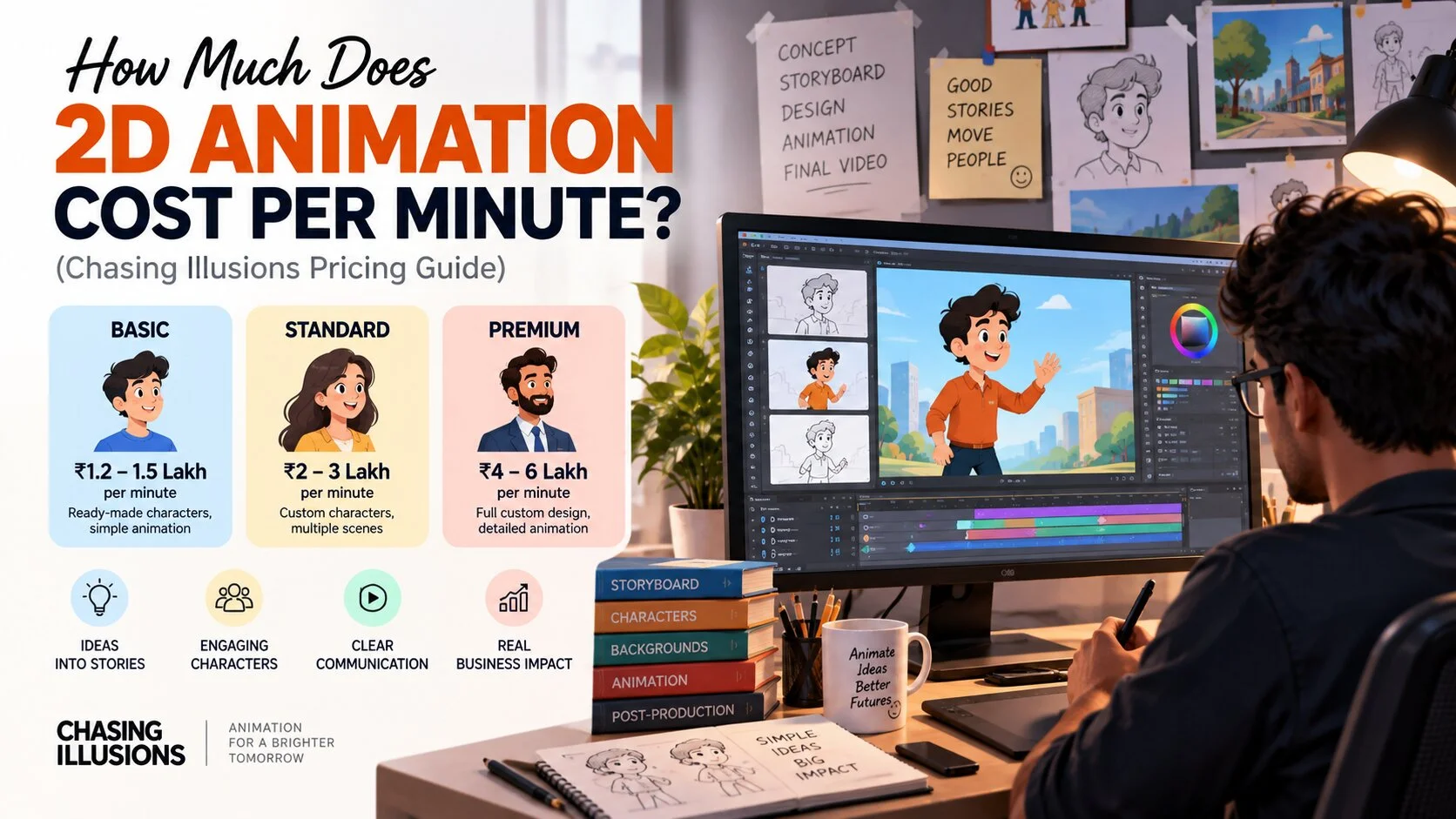
A 60-second commercial-quality 3D character animation typically ranges from ₹80,000 to ₹3,00,000 depending on character complexity, scene count, and finish level. Motion graphics and 2D explainer videos tend to be lower, starting around ₹30,000–₹80,000 for a 60-second output. Architectural walkthroughs and medical animations are priced by project scope.
How long does character animation production take?
A 60–90 second 3D character animation project typically takes 3–5 weeks end-to-end at professional quality. A 2D explainer video of the same length can be produced in 2–3 weeks. Architectural walkthrough animations of 2–3 minutes typically take 3–6 weeks depending on scene complexity.
Can Chasing Illusions Studio produce character animation alongside architectural walkthroughs?
Yes. Our production capability spans architectural visualisation, 3D character and commercial animation, 2D character and explainer content, and industrial and medical animation. Get in touch to discuss your brief →
Book a Discovery Call
Ready to brief a project or get a quote? Our team handles architectural visualisation, character animation, industrial walkthroughs, and motion graphics for clients across India, the UAE, the USA, and the UK.
Explore our architectural walkthrough services →
📞 +91-9910911696 | +91-9910660851 📩 info@chasingillusions.in
Written by Deepak, content strategist at Chasing Illusions Studio. Our clients include DLF, Emaar, Ganga Realty, Banner Boswell, Shapoorji Pallonji, EC World, Taj, Florida Hospital, and 100+ architectural and real estate companies across India, the USA, Thailand and the UK.
Last reviewed: November 2026
Chasing Illusions Studio
Premium animation & video production studio based in Delhi, India. Specialising in 3D animation, medical visualisation, architectural walkthroughs, and CGI.