The single biggest factor in whether a 3D animation or rendering project goes smoothly isn't the studio you choose — it's how well you've thought through what you actually need before that first conversation. A vague brief leads to more revision rounds, longer timelines, budget overruns, and a final result that doesn't quite match what you had in mind. A clear one gets you an accurate quote fast and a result that's right the first time.
This guide walks through exactly what to prepare, with examples, a brief template you can copy, and answers to the questions clients most often ask before starting.
Why the brief matters more than people expect
A studio can only work from what you give it. If the objective, audience, and scope aren't clear upfront, the studio has to make assumptions — and every assumption that turns out wrong becomes a revision, which costs time and often money beyond the original quote.
It helps to understand where the cost actually sits in a 3D project. The expensive, hard-to-reverse decisions happen early — the model, the layout, the camera direction. Changing those after rendering has started is far more costly than changing them at the storyboard stage. A good brief front-loads clarity to exactly the point where changes are cheap, which is why it's the single highest-leverage thing you control. A strong brief isn't bureaucracy; it's the fastest, cheapest route to the result you actually want.
What to prepare before your first call
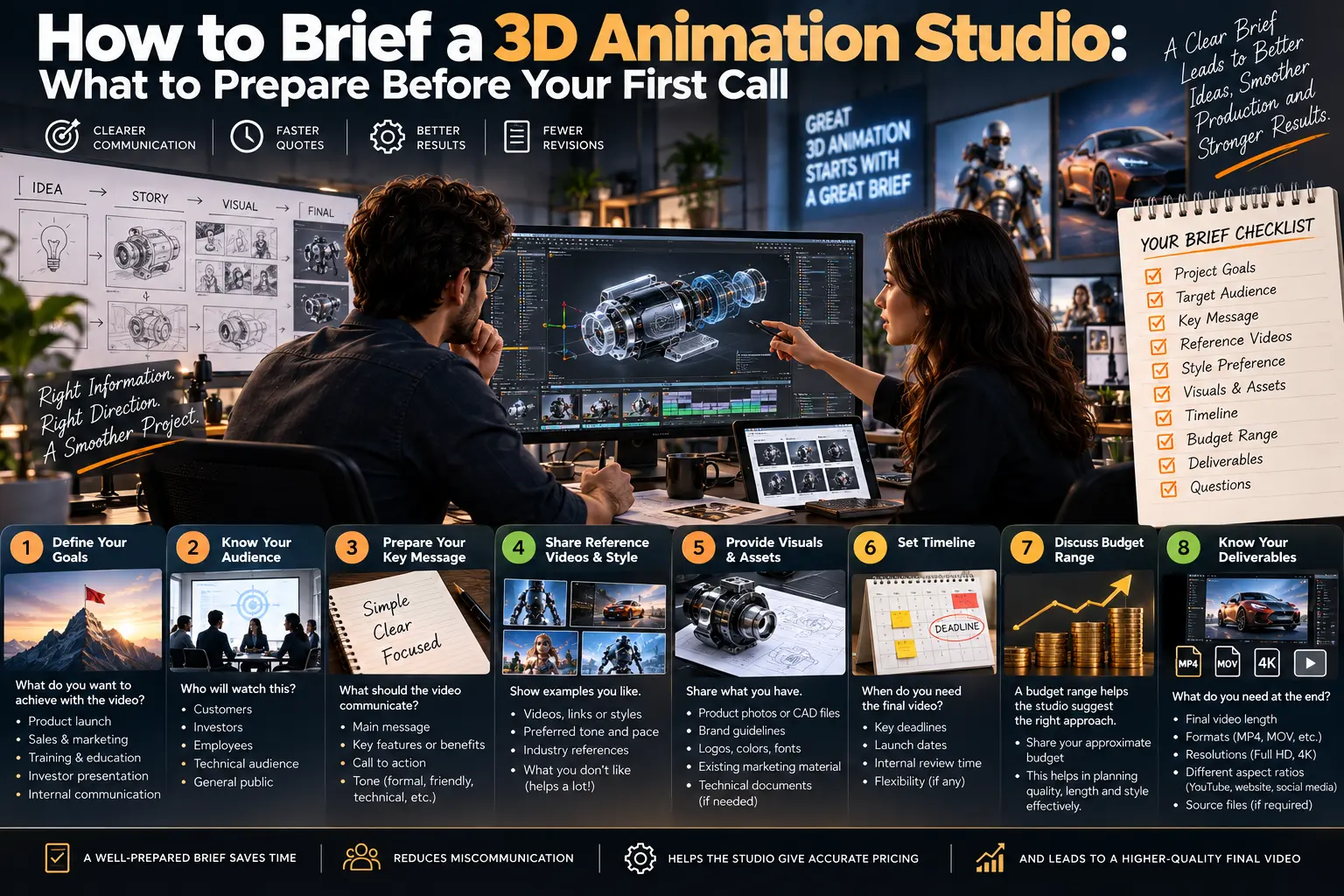
1. Your actual objective
Be specific about what the project needs to accomplish. "We need a rendering" is not a brief. "We need a rendering to show investors what the lobby will look like before we finalize the marble supplier" is — it tells the studio the purpose, the audience, and the level of finish required, all in one sentence.
The clearer the goal, the more precisely a studio can scope the work and recommend the right format. Sometimes the right recommendation isn't even what you asked for: a client who requests an expensive animation may actually be better served by three still renders, and a studio can only tell you that if it understands the real objective.
2. Your audience
A visualization aimed at a technical stakeholder — an architect reviewing structural detail, an engineer checking clearances — needs a different approach from one aimed at a prospective buyer deciding whether to purchase. The technical viewer wants accuracy; the buyer wants to feel the space. Know who's actually going to see this, and what they need to understand or feel when they do. That single piece of information shapes lighting, detail level, camera work, and finish.
3. Reference materials
This is where most projects are won or lost before they start. Come prepared with:
Technical files — CAD files, blueprints, product specs, or technical drawings, as complete and current as possible. Incomplete or outdated files are the single most common cause of scope creep and unexpected revisions. If your CAD is a work in progress, say so — it changes how the studio plans.
Visual references — other renders, walkthroughs, or videos you like, even from other studios or unrelated industries. A handful of examples communicates a style far faster and more accurately than paragraphs of description. "Like this, but warmer lighting" is worth more than a page of adjectives.
Brand guidelines — colours, fonts, logo usage, and tone, if the output needs to align with existing marketing materials.
A quick word on why references matter so much: visual style is genuinely hard to convey in words. Two people can read "modern and premium" and picture completely different things. Reference images collapse that ambiguity instantly.
4. Scope
Be precise about what's included: how many rooms, angles, or views; whether it's a static image, an animation, or an interactive walkthrough; and roughly how long the final piece should be if it's video. Scope ambiguity is the fastest route to a quote that doesn't match your expectations — and to friction later when "I thought that was included" comes up.
A useful way to think about it: list the actual deliverables. "Five exterior stills, two interior stills, and one 30-second flythrough" is a scope. "Some renders and a video" is not.
5. Timeline
Share your real deadline, and whether there's flexibility in it. Rush timelines almost always cost more, because they mean overtime or reprioritising other work — knowing this upfront lets a studio tell you honestly whether your timeline is realistic for the scope you want, rather than discovering the mismatch midway through. If the deadline is immovable (a trade show, a launch date, an investor meeting), flag it clearly; it's one of the most important constraints a studio plans around.
6. Budget range
You don't need an exact number, but a realistic range helps a studio recommend the right approach rather than overbuilding beyond what you need or underscoping something that won't meet your goal. Being upfront about budget generally gets you a more honest, useful conversation than withholding it — a good studio uses the range to steer you toward the best result within it, not to inflate the quote to match.
7. Revision expectations
Ask directly how many revision rounds are included, and — just as importantly — clarify internally who on your side needs to review and approve each stage. A project with five internal stakeholders providing separate, sometimes conflicting feedback moves very differently from one with a single decision-maker. Knowing which situation you're in, and consolidating feedback into one clear voice, prevents most revision-related delays and cost.
8. Usage rights
If the final output will be used across multiple platforms — website, social media, a printed brochure, a trade show display, paid ads — say so upfront. Usage scope sometimes affects pricing and licensing, and it's much easier to clarify at the start than to renegotiate after delivery.
What actually drives cost (so your brief can control it)
Understanding these helps you write a brief that gets the result you want at a price you expect:
Stills vs animation — animation costs far more, because it renders across many frames (see how much 3D renderings cost). If you only need images, say "images," not "a video."
Whether a model exists — if you already have a usable 3D model or clean CAD, you're paying mainly for rendering, not modelling. Mention it.
Number of views and variants — each new angle or colourway adds work; batching them is cheaper than requesting them piecemeal later.
Level of detail and realism — photorealism costs more than a clean, presentable render. Match the finish to the audience.
Revisions — changes after production starts cost more than the same changes at storyboard stage.
A simple brief template
You don't need a formal document — a clear email or shared doc covering the following gets you most of the way there:
Project type: (e.g. architectural walkthrough, product render, medical animation)
Objective: What should this accomplish?
Audience: Who's it for, and what should they understand or feel?
Scope: How many assets, what format, roughly how long?
Reference files: Attach CAD / blueprints / product specs
Visual references: Links or examples of styles you like
Timeline: Your real deadline, and whether it's flexible
Budget range: Even a rough range helps
Usage: Where will this be used?
Briefing by project type — what matters most
Different projects have different critical inputs. A few examples:
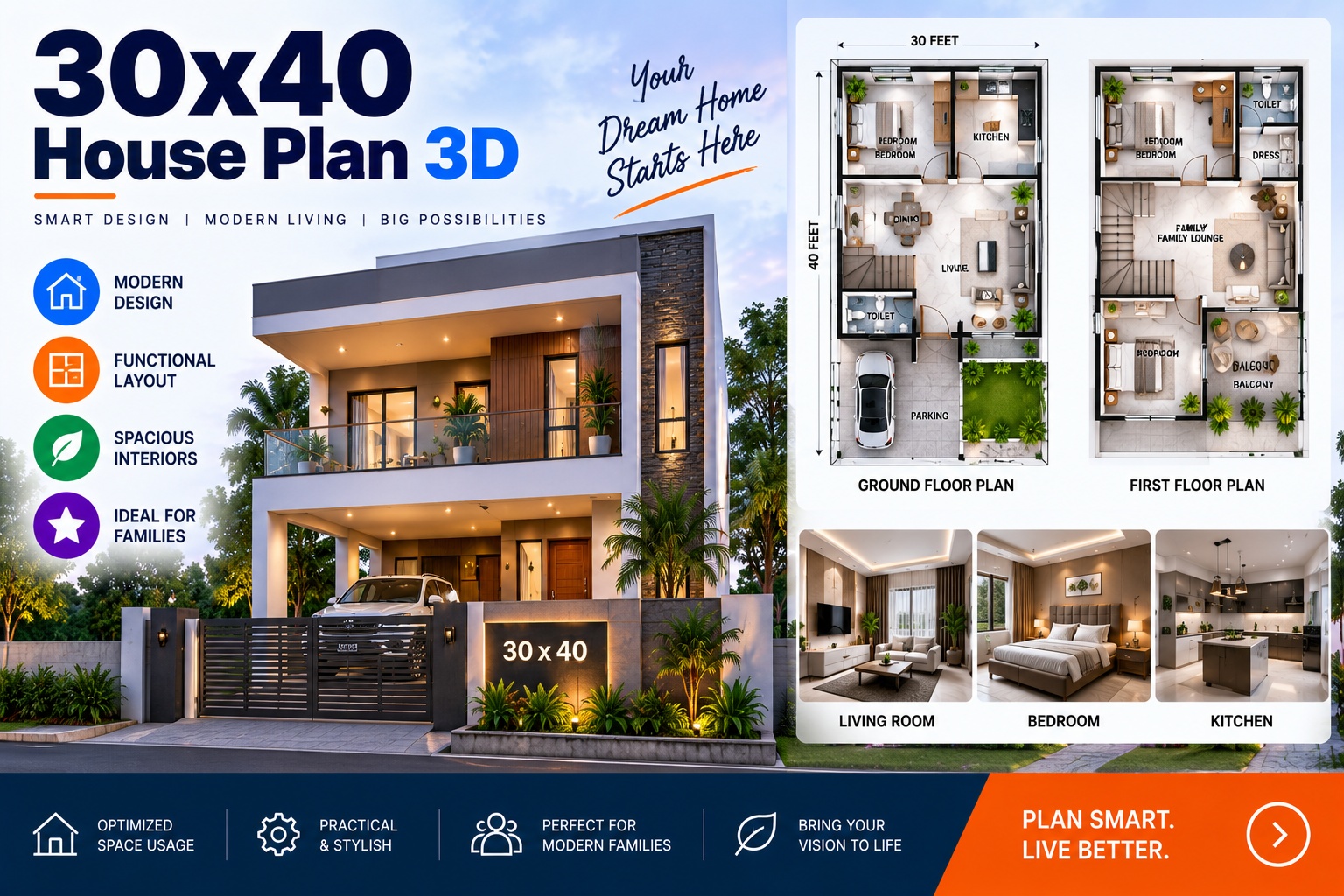
Architectural walkthrough / render — CAD or floor plans and material specifications are essential; the studio can't get proportions or finishes right without them. Time of day and mood matter for the feel.
Product render or animation — product dimensions, material references (a physical sample, Pantone/RAL codes, or reference photos), and the exact colour/variant list. Material accuracy is where product work lives or dies.
Industrial or manufacturing visualization — plant CAD, equipment specs, and process information. Note that engineering CAD often needs preparation before it's animation-ready, so completeness matters even more here.
Medical or technical animation — accuracy is paramount, so provide the source material and expect a subject-matter review step. Say upfront if there are compliance or regulatory requirements.
What happens after you send a good brief
A studio working from a clear brief can usually turn around an accurate scope and quote quickly — often within a day or two — because there's no back-and-forth needed to fill gaps. From there, expect a kickoff conversation to confirm details, a production timeline with agreed checkpoints, a review at the draft or storyboard stage before final rendering, and delivery in the formats you specified. The clearer your brief, the smoother every one of those steps.
A few things to avoid
Don't wait until the deadline is urgent to start briefing. A rushed brief written under time pressure skips exactly the details that matter most, and starts the project on the back foot.
Don't assume the studio knows your industry's conventions. If there's something specific to your sector — a regulatory requirement, a standard your buyers expect to see — say so explicitly rather than assuming it's obvious.
Don't skip the visual references. Words alone are genuinely hard to translate into a specific visual style; even a handful of examples saves real time and revision cycles.
Don't hide the budget. Withholding it doesn't get you a better price — it usually gets you a quote for the wrong scope.
Don't brief by committee without a lead. Multiple unfiltered voices produce contradictory feedback; nominate one person to consolidate and decide.
Frequently Asked Questions
What's the most important thing to include in a brief?
Your objective and audience, plus complete reference files. If a studio knows what the project is for, who it's for, and has accurate source files, it can scope almost anything accurately. Missing or vague versions of these three are the biggest cause of delays.
Do I need a formal brief document?
No. A clear email or shared doc covering the template above is enough. Clarity matters far more than formality.
What if I don't have CAD files or technical drawings?
You can still proceed — the studio can work from detailed photos, sketches, or specifications — but the modelling stage takes longer and may need extra revision rounds to reach accuracy. Flag it early so it's built into the quote and timeline.
How much detail do I need to give about budget?
A realistic range is enough. It's not about revealing your maximum — it's so the studio can recommend the right approach and avoid quoting for the wrong scope.
How many revision rounds should I expect?
Most studios include a defined number (often 2–3) before extra charges apply. Confirm the exact policy upfront, and consolidate your internal feedback so each round counts.
Can a studio help me figure out what I actually need?
Yes — a good one will. If you're unsure whether you need stills or animation, or what scope fits your goal, a clear objective lets the studio recommend the right approach rather than just building what you asked for.
Getting Started
If you're ready to start a project, use the template above — even a rough version gets you a faster, more accurate quote than starting from scratch on a call. And if you're unsure about any part of it, that's exactly the kind of thing a good studio helps you work out.
Ready to brief your project? See our services or get in touch to talk it through.
Chasing Illusions Studio
Premium animation & video production studio based in Delhi, India. Specialising in 3D animation, medical visualisation, architectural walkthroughs, and CGI.