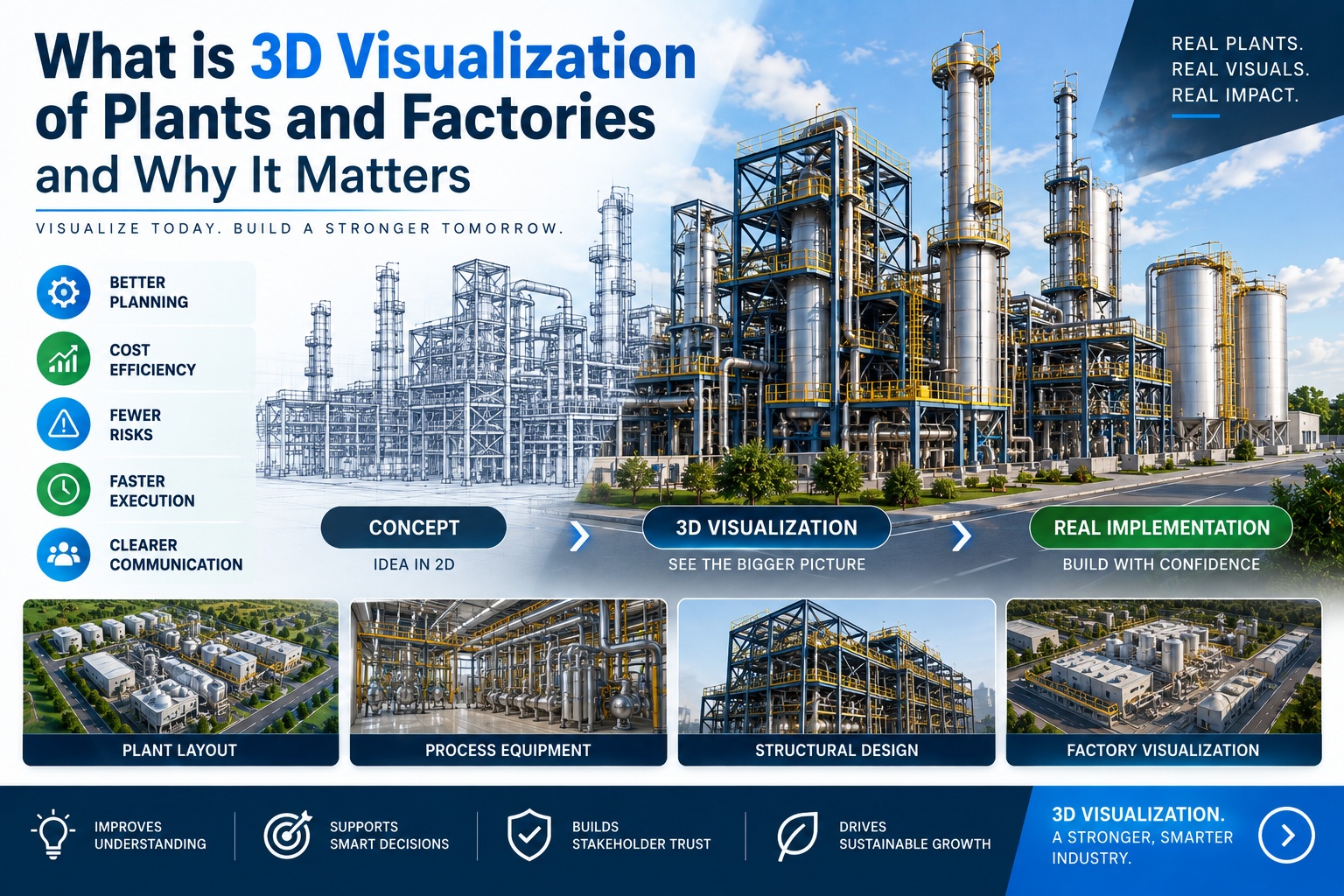
Industrial plants and factories are among the most complex built environments that need to be communicated visually — to investors before construction starts, to operators before commissioning, to safety teams validating procedures, and to clients evaluating capability. A two-dimensional drawing communicates geometry to an engineer. It communicates almost nothing to anyone else.
3D visualization closes that gap. It is the production of photorealistic digital representations of industrial facilities — their layout, their equipment, their processes, and their operational logic — in formats that serve specific commercial, operational, and safety purposes.
The global 3D visualization market was valued at USD 9.48 billion in 2025 and is projected to reach USD 27.74 billion by 2034 at a CAGR of 12.66%, with industrial and manufacturing sectors among the fastest-growing application areas. That growth reflects a straightforward commercial reality: as facilities become more complex, the gap between what technical drawings communicate and what stakeholders need to understand becomes wider — and 3D visualization is the most effective tool available to close it.
This guide covers what industrial plant and factory visualization actually involves, the six main types and what each is used for, which industries use it and why, and what it costs in 2026.
What Industrial 3D Visualization Actually Is
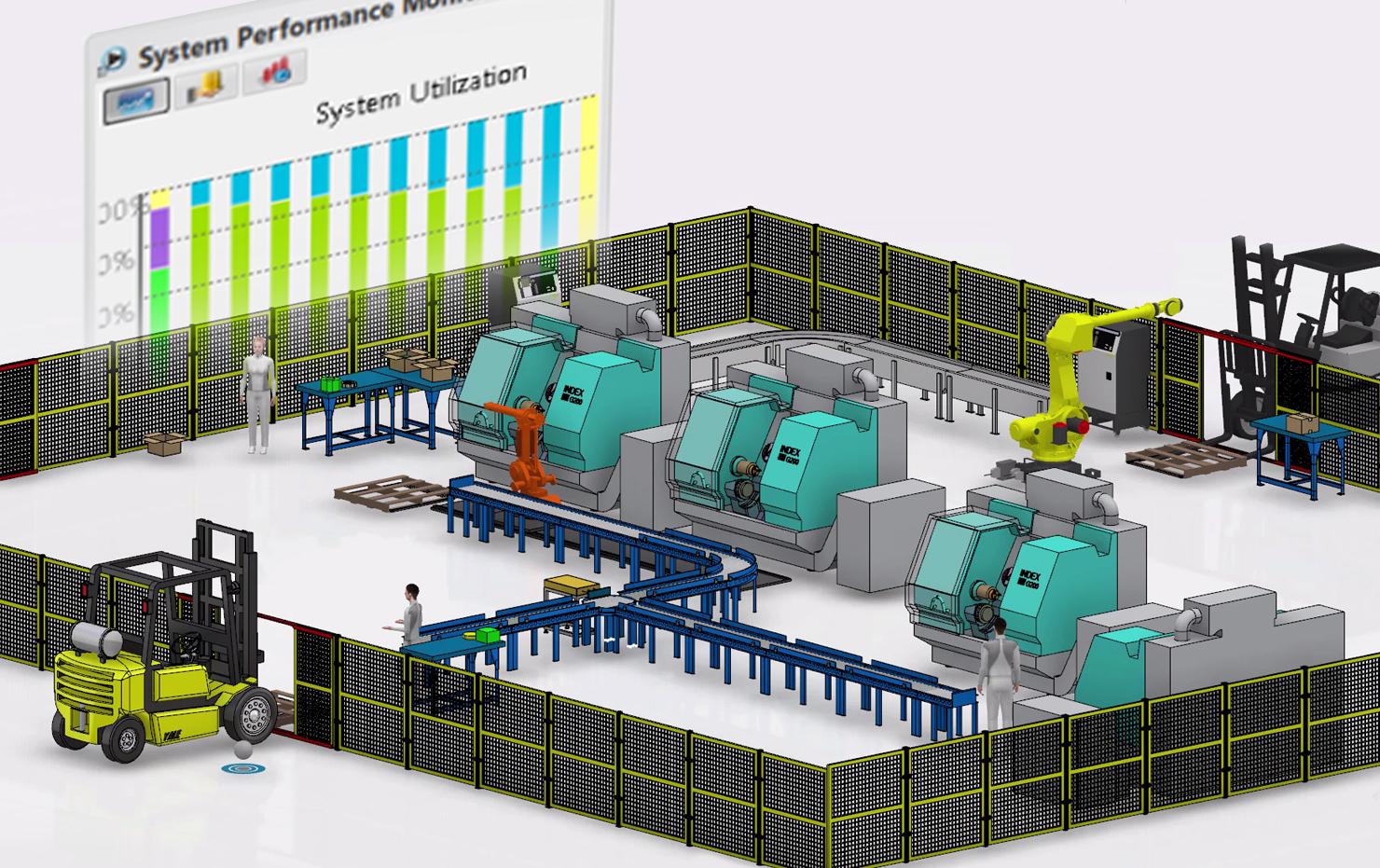
Industrial 3D visualization is not a single format. It is a family of related production types, each serving a different audience and a different purpose. The key distinction that most briefs miss: a photorealistic still render of a factory exterior, an interactive VR walkthrough of a process plant, a safety training animation showing a chemical release scenario, and a digital twin displaying live SCADA data are all forms of industrial 3D visualization — but they are produced differently, cost differently, and serve entirely different functions.
Understanding which type you need before briefing a studio determines whether you get output that actually serves its purpose.
The Six Types of Industrial Plant and Factory Visualization
1. Plant Layout and Architectural Walkthrough
A photorealistic animated walkthrough navigating through the facility as if physically present — showing the exterior approach, main process areas, control rooms, utility zones, and safety infrastructure. Used for investor presentations, board-level CAPEX approvals, regulatory submissions, community consultation, and marketing to industrial clients.
This is the most common brief for industrial visualization. Our detailed guide to industrial plant 3D walkthroughs covers the cost structure, inputs required, and what to specify in your brief.
Typical cost: ₹8L – ₹35L / $10,000 – $45,000 depending on facility scale and detail level
Typical timeline: 6–12 weeks
2. Process Flow Animation
Animation showing what happens inside the plant — how materials move through the production sequence from raw input to finished output. Not just where equipment is located, but how the process works. Used for client presentations, investor communication, regulatory submissions demonstrating process compliance, and tender documentation.
Process animation requires studios with genuine technical literacy — understanding how a distillation column works, how an ore crusher feeds into a conveyor system, how a pharmaceutical bioreactor operates through fermentation stages. Studios without industrial experience produce visually impressive content that is technically wrong and fails immediately with engineering or investor audiences.
Typical cost: ₹6L – ₹20L / $8,000 – $25,000 for a 2–4 minute sequence
Typical timeline: 8–14 weeks
3. Safety Training and Emergency Response Visualization
Animated content showing hazard identification, correct equipment operation, emergency procedures, and scenario simulations — produced for industrial safety training programmes. Particularly valuable where the hazard cannot be demonstrated safely in a real environment (chemical releases, electrical faults, confined space emergencies, molten metal handling).
Research from the Association for Talent Development indicates that learners retain 65% of information from visual media versus 10% from text alone — a difference that matters directly in safety-critical industrial environments where procedural memory affects workplace outcomes.
For Indian industrial facilities, safety training animation needs to comply with IS 3764 and Factories Act requirements. For UAE operations, OSHAD-SF in Abu Dhabi and Dubai Municipality HSEMS apply. Our industrial safety animation services cover all three regulatory frameworks with multilingual narration as standard.
Typical cost: ₹3L – ₹10L / $4,000 – $13,000 per safety module (60–90 seconds)
Typical timeline: 10–16 days per module
4. Equipment and Machine Operation Animation
Animations showing how specific machinery works — mechanism, assembly sequence, operational states, maintenance access requirements, and failure modes. Used by equipment manufacturers for sales demonstrations, by industrial buyers for procurement evaluation, and by maintenance teams for training on equipment they will encounter infrequently.
The distinction from a plant walkthrough: machine operation animation zooms into the equipment itself rather than the facility it sits within. It shows the internal mechanism — how a pump impeller moves, how a valve actuates, how conveyor drive components interact — rather than the building around it.
Typical cost: ₹2L – ₹8L / $2,500 – $10,000 depending on mechanical complexity
Typical timeline: 6–12 weeks
5. Pre-Commissioning Operator Familiarization
A walkthrough variant designed specifically for operations and maintenance teams — with equipment labels, zone identifiers, process flow callouts, and safety annotations overlaid on the visualization. Used to familiarize operators with a new facility before they step on site for the first time.
Workers who train on a 3D visualization of their facility before commissioning arrive with genuine spatial familiarity — they know where equipment is, how process areas connect, and where safety systems are located. This consistently reduces the commissioning learning curve and shortens the time to full operational capacity after first start-up.
Typical cost: ₹4L – ₹12L / $5,000 – $15,000 as a derivative of an existing plant model
Typical timeline: 4–8 weeks from approved walkthrough model
6. Real-Time Digital Twin
A connected 3D model that displays live operational data — pressures, temperatures, flow rates, vibration levels, equipment status — from SCADA, DCS, or IoT sensor feeds. Used for operational monitoring, maintenance planning, and emergency response training in facilities that already exist.
Real-time digital twins are the most technically complex and most expensive category of industrial visualization. They require both 3D production capability and software integration expertise. For most industrial clients commissioning visualization for the first time, the plant walkthrough (Type 1) is the appropriate starting point — not the digital twin.
Typical cost: $30,000 – $120,000+ depending on facility scale and integration complexity
Typical timeline: 3–6 months
Which Industries Use Industrial 3D Visualization and Why
Oil and Gas: Refineries, LNG terminals, and offshore platforms commission walkthroughs for investor presentations and CAPEX approvals, process animations for regulatory submissions, and safety training for hazardous scenario procedures (H2S exposure, confined space entry, hot work permit processes).
Chemicals and Petrochemicals: Process flow animation is particularly valuable for chemical plants where reaction sequences and fluid dynamics are central to what the facility does and are impossible to communicate through drawings alone. Safety training for chemical release scenarios is a regulatory compliance requirement.
Pharmaceutical Manufacturing: GMP cleanroom visualization for FDA and MHRA audit preparation, process animation for aseptic manufacturing sequences, and operator familiarization for new production lines all have specific regulatory requirements that studios without pharmaceutical manufacturing experience will not meet.
Power Generation: Thermal, gas turbine, solar, and nuclear facilities use walkthroughs for community consultation and planning applications, process animation for investor presentations, and operator training for complex start-up and shutdown procedures.
Mining and Ore Processing: Ore processing plant walkthroughs for investors, process animations showing the full ore-to-product sequence, and safety training for high-hazard mining environments.
Steel and Metals Manufacturing: Our Hindalco safety training animation case study demonstrates how India's largest aluminium producer uses 3D animation for safety training across multilingual workforces in high-hazard processing environments.
Automotive and Advanced Manufacturing: Assembly line layout optimization before physical installation, process animation for vehicle launch presentations, and machine operation training for robotic systems.
Pricing Reference — Industrial Visualization 2026
Type | Scope | Cost INR | Cost USD |
|---|---|---|---|
Plant layout walkthrough | Full facility, 3–5 min | ₹12L – ₹35L | $15,000 – $45,000 |
Process flow animation | Full sequence, 2–4 min | ₹6L – ₹20L | $8,000 – $25,000 |
Safety training module | Single scenario, 60–90 sec | ₹3L – ₹10L | $4,000 – $13,000 |
Safety induction series | 5 modules | ₹18L – ₹40L | $23,000 – $52,000 |
Machine operation animation | Single equipment, 60–120 sec | ₹2L – ₹8L | $2,500 – $10,000 |
Operator familiarization | From approved walkthrough model | ₹4L – ₹12L | $5,000 – $15,000 |
Real-time digital twin | Full facility integration | Quoted on scope | $30,000+ |
All pricing excludes GST. USD rates apply to international clients. Prices vary by engineering detail level, facility scale, revision rounds, and delivery format.
What Makes a Good Industrial Visualization Studio
Technical literacy — not just artistic capability. A studio that produces excellent architectural walkthroughs may produce industrial visualization that looks competent but is technically wrong — implausible piping arrangements, wrong equipment configurations, safety zone layouts that no plant engineer would recognize as accurate. Ask specifically how the studio reads P&IDs and translates engineering drawings into 3D models.
Industrial portfolio evidence. Request examples from your specific sector. Oil and gas plants look and operate differently from pharmaceutical cleanrooms. Portfolio relevance to your industry matters more than general visual quality.
Engineering review process. A capable studio builds a structured technical accuracy review into production — checking the 3D model against engineering drawings before rendering begins. Studios without this step produce content that fails with engineering and investor audiences.
Multilingual narration. For Indian industrial clients with multi-state facilities, or UAE and Gulf clients with multinational workforces, narration in Hindi, Tamil, Telugu, Arabic, or other workforce languages is a practical requirement, not an optional upgrade.
For a detailed breakdown of the production process for plant walkthroughs — the six phases, timelines, and what inputs you need to provide — our technical guide to industrial plant walkthrough production covers the full process.
How to Start Your Industrial Visualization Project
Define the primary purpose first. Design validation, investor presentation, operator training, and safety compliance each require different visualization types and different quality tiers. A studio that asks what your budget is before asking what your visualization needs to do is working backwards.
Gather your technical inputs before the brief. The accuracy of industrial visualization is entirely determined by the accuracy of the inputs. Plot plans, P&IDs, equipment data sheets, and elevation drawings are the minimum viable input for a plant walkthrough. 3D CAD models in AVEVA, PDMS, or Revit format reduce production time by 25–40%.
Consider modular production for multi-use assets. A plant walkthrough model produced for an investor presentation can be adapted for operator training, safety animation, and regulatory submission from the same base asset — at a fraction of the cost of commissioning each separately. Discuss modular structure with your studio before production begins.
Frequently Asked Questions
What is the difference between a 3D plant walkthrough and a factory flow simulation?
A plant walkthrough is a visual communication asset — photorealistic animation showing how a facility looks and operates, produced for human viewing by investors, operators, or safety teams. A factory flow simulation is an engineering analysis tool — a computational model showing material and process flows for optimization purposes. They serve different audiences and are produced with different tools. If you need to communicate your facility to a non-technical audience, you need a walkthrough. If you need to optimize your production throughput, you need a simulation.
Can the same 3D model be used for multiple purposes?
Yes — and this is one of the strongest commercial arguments for investing in quality production. A plant walkthrough model built for investor presentation can be adapted for operator training, safety animation, and regulatory submission from the same base asset. Studios that build modular models give significantly more long-term value than studios that build single-use deliverables.
What files do you need from us to start production?
The minimum viable input is 2D engineering drawings — plot plans, elevation drawings, equipment arrangement drawings, and P&IDs for process-accurate work. 3D CAD models in AVEVA, PDMS, SP3D, or Revit format reduce production time by 25–40%. Point cloud scans from existing facilities are directly usable as reference geometry. Equipment data sheets and reference photography help ensure accurate representation of specific machinery.
How do you ensure technical accuracy for industrial content?
Professional industrial visualization studios build a dedicated technical review stage into the production process — checking the 3D model against engineering drawings before rendering begins. We recommend two review stages: one at the grey model stage before materials are applied, and one at the animation stage before final rendering. Changes caught at the grey model stage cost nothing to fix. Changes discovered after final rendering require significant re-production.
How long does industrial plant visualization take?
A single-zone animated flythrough (60–90 seconds) takes 3–5 weeks from approved brief. A full-plant walkthrough (2–4 minutes) takes 6–10 weeks. Safety training modules take 10–16 days each. Real-time digital twins take 3–6 months. The most consistent cause of timeline extension is incomplete or changing input data — the more complete your engineering documentation at brief submission, the more reliably the studio will hit stated timelines.
What industries have you produced industrial visualization for?
Our verified client work covers oil and gas, aluminium manufacturing (Hindalco), steel and metals, pharmaceuticals, and heavy industrial safety training. We serve EPC contractors, plant owners, equipment manufacturers, and industrial safety teams across India, the UAE, the UK, and internationally.
Discuss Your Industrial Visualization Project
Chasing Illusions Studio produces industrial visualization across all six types covered in this guide — plant walkthroughs, process animation, safety training, machine operation, operator familiarization, and real-time visualization — for facilities across India, the UAE, and internationally.
Ready to discuss your plant or factory visualization project? [Get a Quote →]
📞 +91-9910911696 | +91-9910660851
📩 info [@] chasingillusions [.] in
Written by Deepak, content strategist at Chasing Illusions Studio. Our clients include Hindalco, Ernst & Young (EY), BinBase, Dozr, Equipment Wallet, Venwind, Healmate, Badacare, and 100+ brands across India, USA, Thailand, and the UK.
Chasing Illusions Studio
Premium animation & video production studio based in Delhi, India. Specialising in 3D animation, medical visualisation, architectural walkthroughs, and CGI.