If you've ever been confused by the terms "3D rendering" and "3D modeling," you're not alone. They're frequently used interchangeably across the architecture, design, and animation industries, yet they represent distinctly different stages of the 3D creation process. Understanding the difference matters whether you're a real estate developer planning a launch, an architect communicating with clients, or a business owner investing in 3D visualization.
This guide covers both processes, how they work together, and what that means practically for your budget, timeline, and project outcomes.
What Is 3D Modeling?
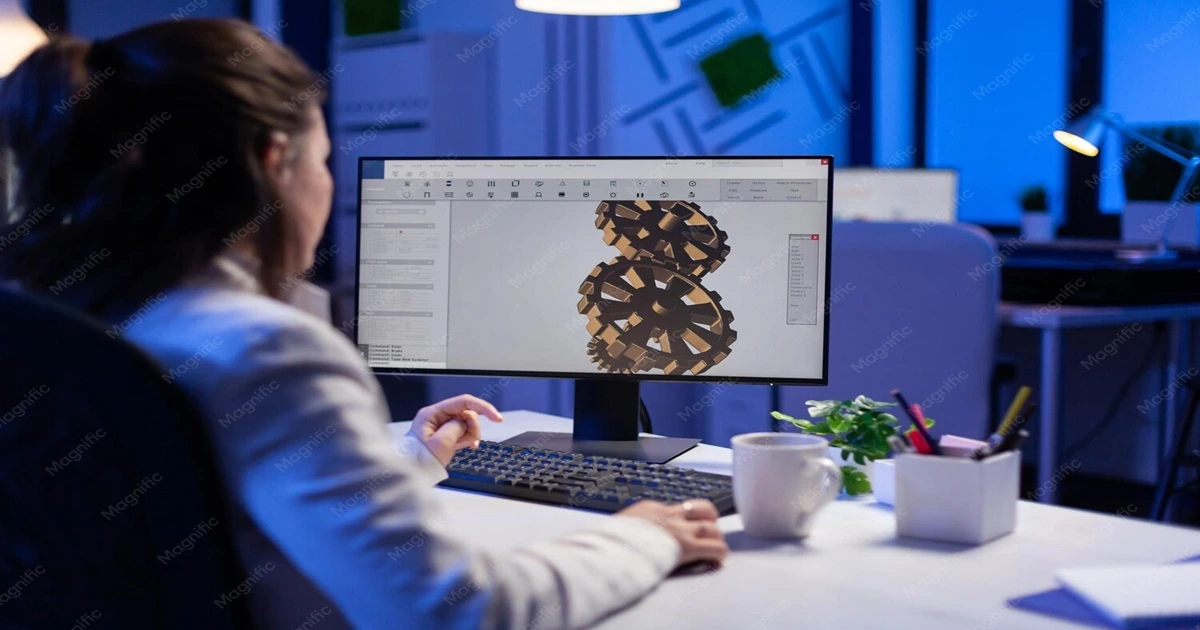
3D modeling is the foundational process of creating a three-dimensional digital representation of an object or space using specialized software — essentially digital sculpting or blueprint creation in a virtual environment. The result is a model that exists in three-dimensional space with length, width, and height.
The core elements
A 3D model consists of vertices (individual points in 3D space), edges (lines connecting vertices), faces (flat surfaces formed by connecting edges), and polygons (the basic building blocks, typically triangles or quadrilaterals). Together these define the geometry and shape of an object.
Modeling techniques
3D artists use different techniques depending on the project:
Polygonal modeling — the most common method, building objects from individual polygons (usually triangles and quads). Ideal for architectural elements, furniture, and hard-surface objects.
NURBS modeling — uses mathematical curves to create smooth, organic surfaces. Common in automotive and product design.
Sculpting — like working with digital clay: artists push, pull, and shape the material. Excellent for character creation and organic forms.
Parametric modeling — uses parameters and rules to define geometry, allowing easy modification. Common in architecture and engineering.
Procedural modeling — uses algorithms to generate complex geometry automatically. Useful for large-scale environments like forests or cities.
What a raw 3D model looks like
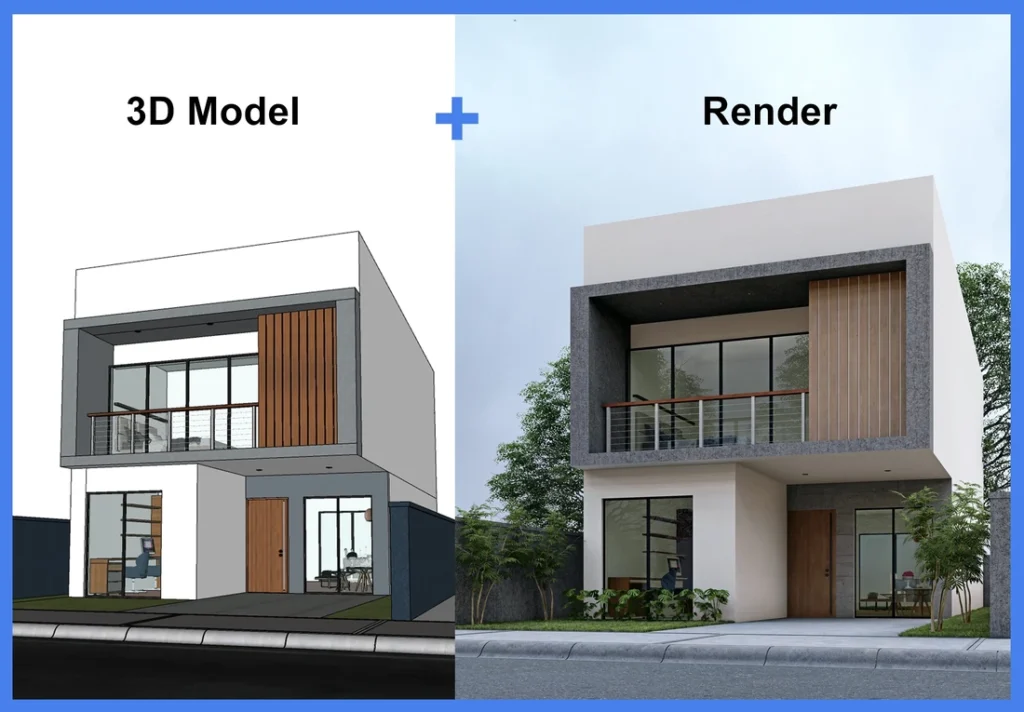
At this stage, a model is typically a wireframe or grayscale mesh — basic geometry with no colors, textures, lighting, or realistic appearance. A model of a wristwatch would show every curve and component in the right place, but it wouldn't yet look like polished steel or glass. It's a digital skeleton waiting to be brought to life through rendering.
Common 3D modeling software
Autodesk Maya, Blender, 3ds Max, SketchUp, Rhino, ZBrush, and Cinema 4D are all widely used, with different tools favored for different applications — Maya and Blender for animation and complex modeling, SketchUp for architectural work, ZBrush for sculpting, Rhino for industrial and product design, and Cinema 4D for motion graphics and product visualization.
Industries using 3D modeling
Architecture, product design, gaming, film and animation, medical visualization, engineering, fashion, and jewelry design all rely on 3D modeling as a foundational step. (If you're curious how long the modeling stage takes in practice, see how long it takes to create a 3D model.)
What Is 3D Rendering?
3D rendering is the process of converting 3D models into 2D images or animations with realistic lighting, colors, textures, and shadows — the transformation that turns a wireframe blueprint into a photorealistic visualization. Think of rendering as the photography stage of 3D creation: just as a photographer captures a real scene with a camera, rendering software "photographs" a digital 3D scene using virtual cameras, lights, and materials.
The rendering process
Scene setup — positioning the 3D model, adding virtual cameras, placing and configuring light sources, and setting up the environment (sky, ground, surroundings).
Material application — applying textures (wood grain, metal, fabric), defining material properties (reflectivity, transparency, roughness), and adding surface detail through bump and normal maps.
Lighting design — natural lighting (sun simulation, HDRI environments), artificial lighting (interior fixtures, spotlights), and global illumination for realistic light bouncing between surfaces.
Camera settings — field of view, focal length, depth of field, angle, and composition.
Render calculation — the engine computes how light interacts with surfaces, plus reflections, refractions, shadows, ambient occlusion, and atmospheric effects.
Post-processing — color correction and grading, added atmosphere, contrast adjustment, and compositing multiple render passes.
Types of rendering
Real-time rendering — used in games, VR, and interactive applications, prioritizing speed. Modern engines like Unreal Engine are achieving increasingly near-photorealistic quality.
Offline rendering — used for architectural visualization, product marketing, and film, where quality matters more than speed. Can take minutes to hours per frame.
Ray tracing — simulates how light rays travel through a scene and bounce off surfaces; computationally intensive but highly accurate.
Path tracing — an advanced form of ray tracing that simulates all possible light paths for maximum realism, used in high-end architectural visualization and film.
Rasterization — a faster method that projects 3D geometry onto a 2D screen, common in real-time applications and previews.
Popular rendering engines
V-Ray, Corona Renderer, Arnold, Octane Render, Redshift, Cycles, Mental Ray, KeyShot, and Lumion each have different strengths — V-Ray and Corona are especially established in architectural visualization, Arnold in film and animation, KeyShot in product visualization, and Lumion for real-time architectural work.
The Key Differences
Aspect | 3D Modeling | 3D Rendering |
|---|---|---|
Purpose | Defines shape, form, and spatial relationships — the foundation | Defines colors, materials, and lighting — the final visual output |
Output format | Editable files (.obj, .fbx, .blend, .skp) | Fixed images/video (.jpg, .png, .mp4) |
Editability | Can be opened and modified repeatedly | Requires re-rendering for changes |
Core skills | Geometry, topology, scale, technical accuracy | Photography principles, material physics, color theory, artistic vision |
Typical time | Simple object: hours; detailed architectural model: days; full interior: weeks | Preview: seconds; photorealistic still: hours; animation: hours to days |
Where 3D Visualization and Animation Fit In
Two related terms often get tangled up with these:
3D visualization is the umbrella term for the finished, purpose-driven result — using models and renders together to communicate an idea to an audience. An architectural walkthrough of an unbuilt building or a 3D visualization of a plant or factory is visualization: the goal is communication, not just producing an asset.
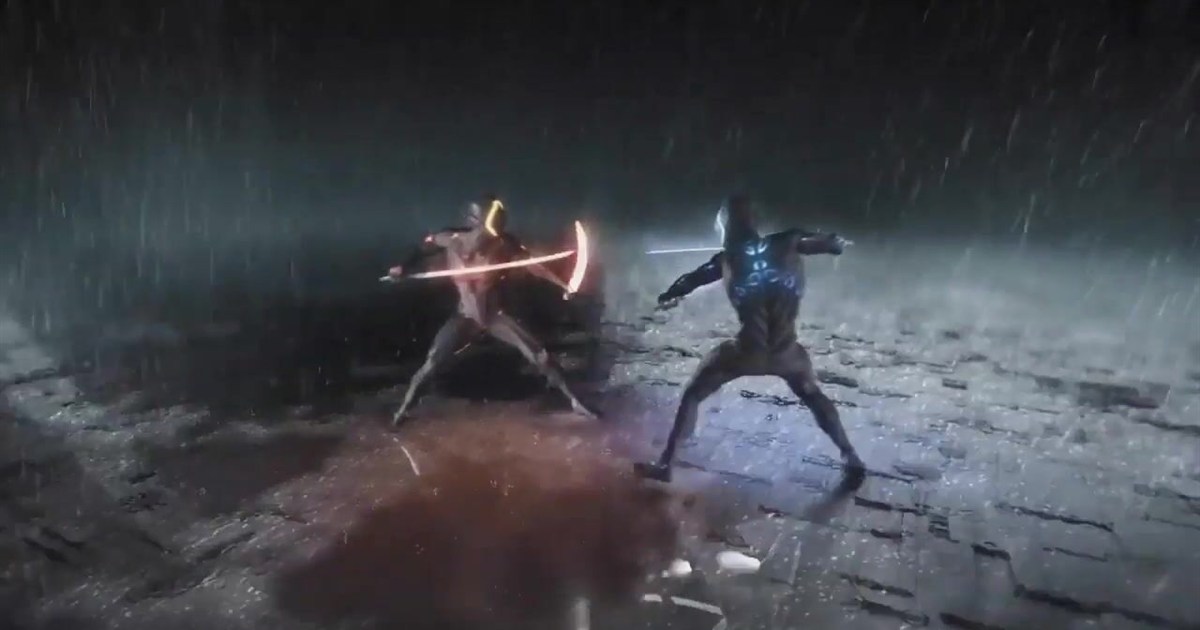
3D animation adds movement and time on top of modeling and rendering — a camera flying through a building, a product rotating, a machine operating. It sits on top of the other two stages rather than replacing them.
So the full hierarchy is: you model to build the geometry, render to make it look real, and the result is a visualization (still or animated) that does a job for your business.
Which Service Do You Actually Need?
"I have nothing yet and need an object or building built in 3D." → You need modeling first, then rendering.
"I already have a 3D model and just need great images or video." → You need rendering.
"I need to show or sell something that doesn't physically exist yet." → You need visualization, which includes both.
You likely need modeling for product prototyping, digital twins of existing buildings, architectural plans, game/animation assets, or 3D-printing prep. Key questions: will the model serve multiple purposes? Do you need source files for future edits? Is geometric accuracy critical?
You likely need rendering for real estate marketing, product photography alternatives, competition submissions, or website/social imagery. Key questions: how many views do you need? What resolution and use case (print vs. digital)? Stills or animation?
Most professional projects need both — a complete architectural visualization package typically includes full building modeling, multiple exterior/interior renders across different times of day, and often a walkthrough animation.
Cost Implications (India, 2026 — general ranges, confirm current rates directly)
These are broad industry ranges to set expectations, not quotes. Software and studio pricing changes often, so confirm current rates directly before budgeting.
3D modeling:
Basic architectural model: ₹15,000 – ₹40,000
Detailed interior model: ₹30,000 – ₹80,000
Product model: ₹10,000 – ₹50,000
Character model: ₹25,000 – ₹1,50,000
3D rendering:
Exterior architectural render: ₹8,000 – ₹50,000
Interior render: ₹10,000 – ₹35,000
Product render: ₹5,000 – ₹25,000
Walkthrough animation (per minute): ₹40,000 – ₹1,50,000
For a fuller breakdown of what drives rendering price, see how much 3D renderings cost.
How Modeling and Rendering Work Together
A complete 3D visualization workflow typically moves through: conceptualization (brief, references, direction) → modeling (base geometry, detailing, client review) → texturing and materials (UV mapping, material application) → scene setup (camera, lighting, environment) → rendering (test renders, final high-res output) → post-production (color grading, final touch-ups, delivery).
Why you need both: for architectural visualization, modeling creates accurate building geometry while rendering shows how it will actually look with materials, lighting, and atmosphere. Without proper modeling, renders will be geometrically wrong; without quality rendering, even a perfect model won't sell the vision. The same logic applies to product launches (modeling for manufacturing feasibility, rendering for marketing imagery) and animation (modeling builds every asset, rendering converts each frame into final footage).
Common Misconceptions
"Rendering is just pressing a button." Rendering requires extensive artistic setup — lighting design alone can take hours of careful adjustment, and camera composition requires real photographic judgment.
"A good model renders itself." Even a perfectly modeled scene looks poor without proper lighting, materials, and rendering setup. This is where artistic vision comes alive.
"A better render can fix a bad model." It can't. Rendering makes a model look real; it can't correct geometry that's wrong. Realistic lighting on an inaccurate model just produces a convincing image of the wrong thing.
"One person can do complete visualizations alone." Some professionals handle both, but modeling and rendering call for different skill sets — a technically precise modeler isn't automatically a strong rendering artist, and vice versa.
"Rendering always takes days." With modern real-time engines like Lumion or Unreal Engine, near-photorealistic results can be achieved in minutes — though the highest-quality work using full ray tracing can still take hours per frame.
"Models can be reused for any rendering without changes." Models often need optimization for different purposes — a model built for still renders may have too many polygons for real-time use, while a game model may lack the detail needed for close-up photorealistic renders.
The Impact of Emerging Technology
Real-time rendering — engines like Unreal Engine and Unity are transforming architectural visualization with instant feedback and interactive, explorable walkthroughs, though they still don't fully match offline rendering quality for every use case.
AI and machine learning — increasingly used for automated object recognition, procedural content generation, AI denoising for faster renders, and topology optimization. Genuinely useful, though still generally paired with human art direction rather than replacing it.
Cloud rendering — services like RebusFarm, RenderStreet, and GarageFarm let studios render complex scenes without expensive local hardware, with pay-per-use pricing that helps with tight deadlines.
VR/AR — creates new requirements on both sides: optimized, performance-conscious geometry for modeling, and stereoscopic, high-frame-rate rendering for a comfortable VR experience.
Working With 3D Professionals: What to Prepare
For modeling projects, provide: accurate CAD drawings or floor plans, dimensional specifications, reference images of similar projects, and clarity on how the model will ultimately be used (rendering, animation, VR, or 3D printing).
For rendering projects, provide: complete 3D models or detailed drawings, material specifications, lighting preferences, reference images showing your desired style, and the intended final use and resolution.
During production: approve base geometry before detailing begins, review material samples before full-scene rendering, and give structured, consolidated feedback rather than piecemeal notes — this alone prevents a large share of unnecessary revision cycles. Before starting, clarify what file formats will be delivered, whether source files are included, whether the assets can be reused for multiple purposes, and who holds intellectual property rights. For a fuller framework, see how to brief a 3D animation studio.
Conclusion
The distinction between 3D modeling and 3D rendering isn't just technical semantics — it's fundamental to planning a successful visualization project. Modeling creates the structure; rendering brings it to life; visualization is the finished result that does a job. Understanding all three helps you communicate effectively with 3D professionals, budget accurately, plan realistic timelines, and evaluate the quality of what you receive.
Ready to Start Your Project?
We offer both 3D modeling and rendering services across architecture, product, industrial, and medical visualization. To see the full range of what we do, visit our services page, or get in touch for a scoped quote.
Ready to brief your project? [Get a Quote →]
Book a discovery 20-minutes strategy call.
📞 +91-9910911696 | +91-9910660851
📩 info [@] chasingillusions [.] in
Written by Deepak, Content Strategist at Chasing Illusions Studio. Our clients include Ambler Surgical, Practo, Bayer, SMT, Novartis, and 100+ healthcare brands across India, USA, Thailand, and the UK.
Last Updated: June 29 2026 | Chasing Illusions Studio
Chasing Illusions Studio
Premium animation & video production studio based in Delhi, India. Specialising in 3D animation, medical visualisation, architectural walkthroughs, and CGI.